
One place to see, find and trace every asset.
Waytrail turns detections across your operation into a live, searchable record of where each asset is and where it has been. Teams can find what they need, understand what has changed and investigate exceptions quickly, while APIs and webhooks make the same reliable record available to the systems they already use.
See Waytrail in action — from mapping your sites and linking tags to finding assets, reviewing movement and reporting on exceptions.
See your operation as it moves.
Waytrail turns your floor plans into live operational views. Each zone shows what is inside it now, while the activity feed records arrivals, movements and departures as they happen. Teams can see what has changed without walking the floor or waiting for someone to update a record.
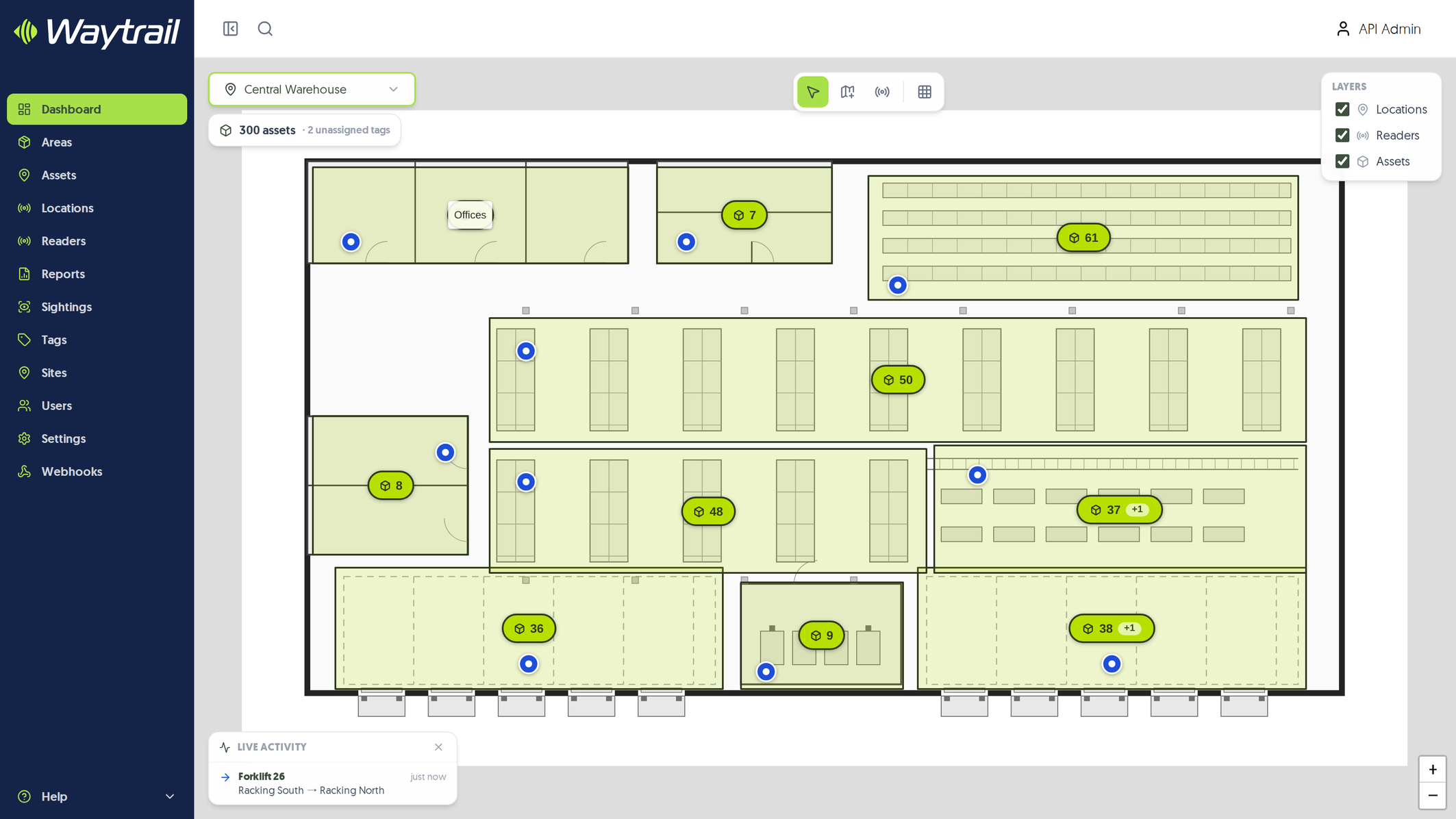
Find assets without searching the floor.
Search across your operation and open any asset to see where it is, when it was confirmed there and the evidence behind it. Teams go straight to it instead of losing productive time searching aisles, stores and warehouses.
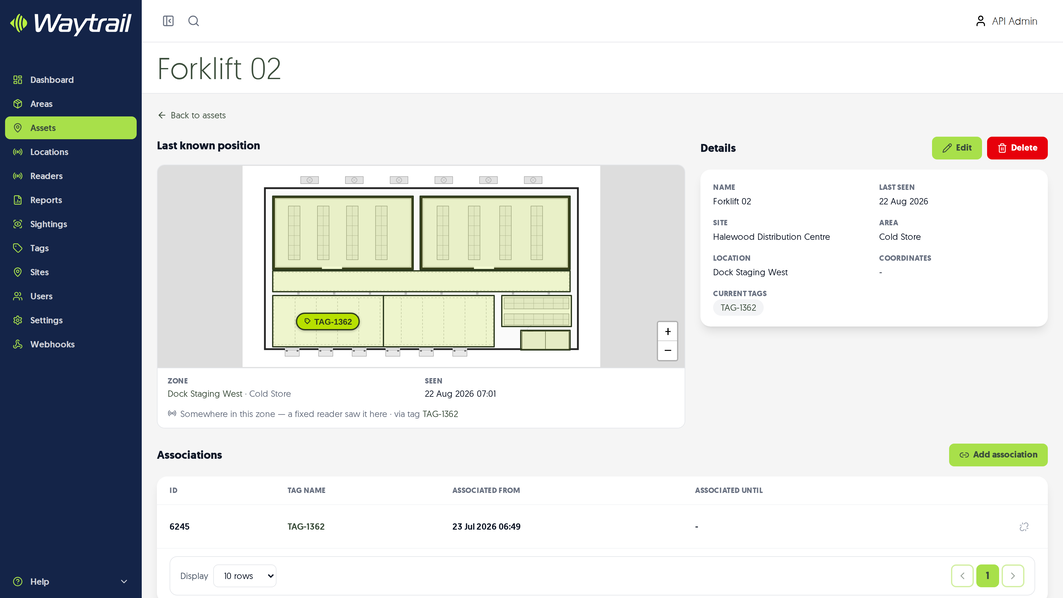
Trace how an asset moved.
Every detection is time-stamped and searchable by site, area, zone, asset and confidence. Teams can reconstruct movement, investigate exceptions and understand the history behind every position.
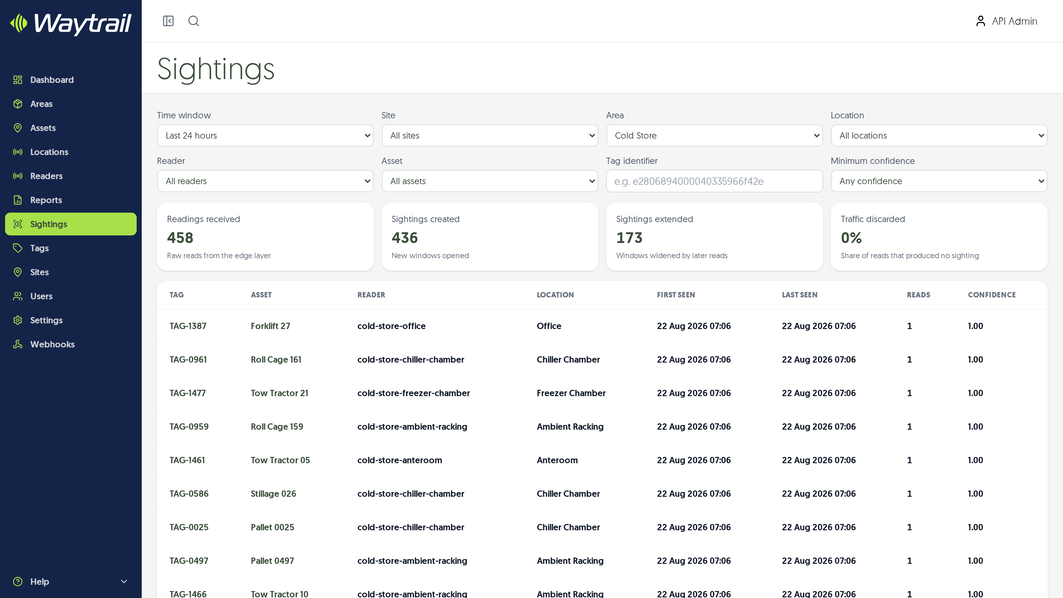
Focus on what needs attention.
Location validation shows where assets differ from where they are expected to be, while the Undetected Assets report surfaces items that have gone quiet. Teams can concentrate on exceptions instead of repeatedly checking everything manually.
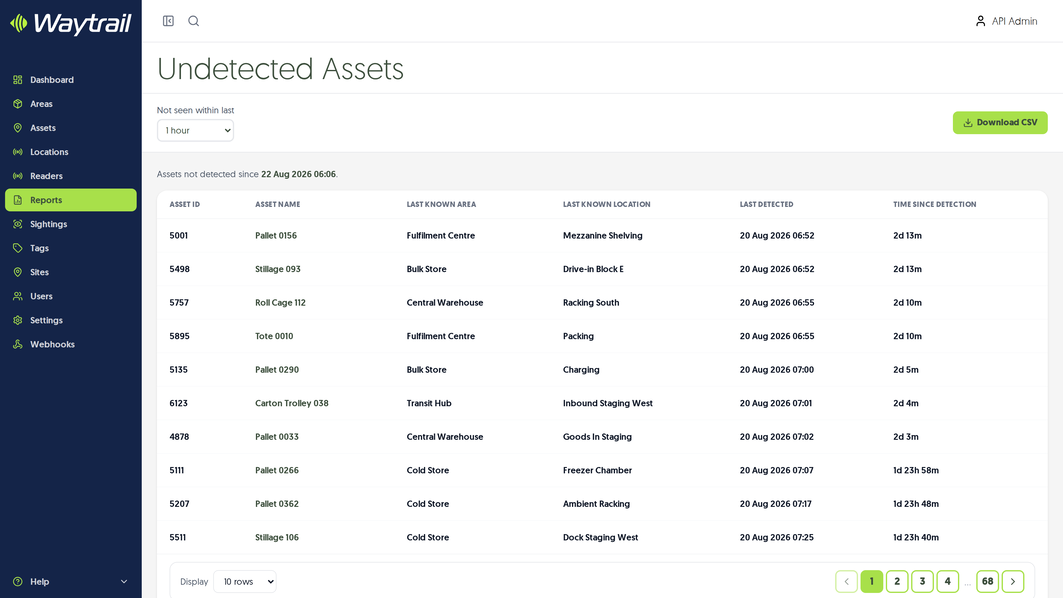
Map Waytrail to your real operation.
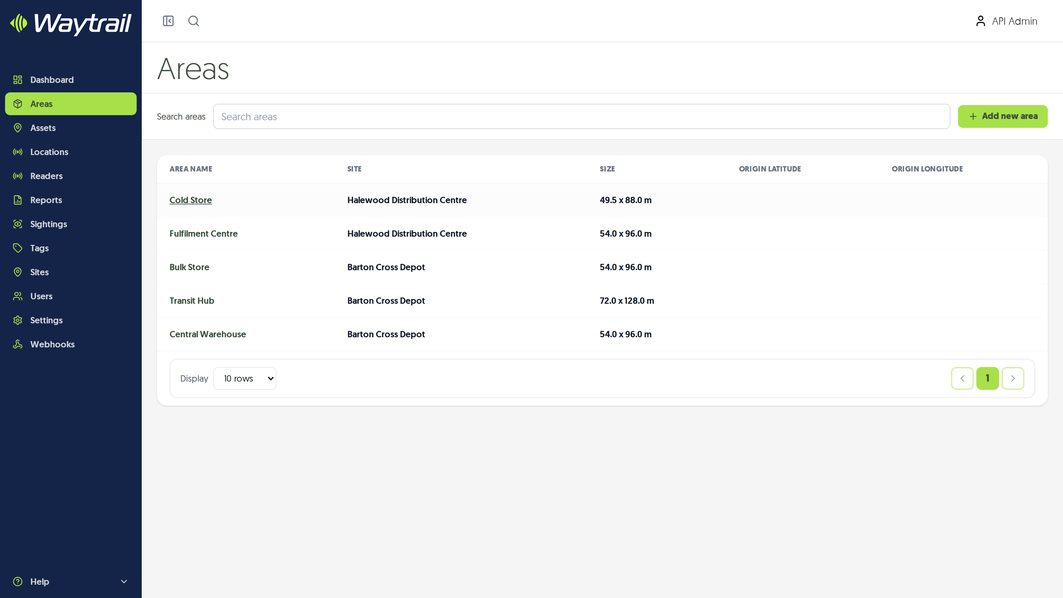
Model your buildings as sites, divide them into recognisable areas and draw zones directly onto your own floor plans. Readers are positioned where they operate, allowing every detection to resolve to a location your teams already understand.
The record behind every answer.
Waytrail maintains the identities, sightings and integrations that make every location, movement and report traceable and reusable.
Tags and asset records
Link each physical tag to the asset, container or stock item it represents. Waytrail maintains a complete register of those tags and their associations, giving every tracked item a persistent digital identity.
Live activity feed
See arrivals, movements and departures as they happen, then open any item directly from the event to understand where it is and where it has been.
Webhooks and REST API
Connect Waytrail to your existing asset, stock and operational systems through its REST API. Signed webhooks push movement events as they happen, with a complete delivery history showing what was sent and when.
From raw detection to reliable answers.
A reader detection is only useful if it can be turned into a location your teams recognise and trust. Waytrail filters duplicate and low-confidence reads, resolves each sighting to a zone, keeps every asset's location current as new sightings arrive, and preserves the history behind it.
-
1
Identify
Give each asset, container or stock item a digital identity by linking it to a physical tag.
-
2
Detect
Capture sightings using fixed or mobile readers positioned around the points where assets move.
-
3
Interpret
Remove duplicate and low-confidence detections, then resolve each reliable sighting to a zone on your floor plan.
-
4
Act
Find assets, review movement, investigate exceptions, report on what is happening and share the record with your other systems.
By resolving detections against the layout of your real operation, Waytrail turns technical reads into locations and movements your teams can understand and act on.
Start with the problem, not the technology.
No single tracking technology is right for every operation. The best fit depends on what you need to track, the range and accuracy required, the environment it moves through and the economics of the deployment. Waytrail provides a consistent operational layer across RFID, BLE, UWB and other tracking technologies. Whatever sits underneath, your teams use the same floor plans, search, history, reports and integrations.
Every asset leaves a trail.
Book a conversation to discuss your use case, your environment and what a deployment would look like.